This is a practical runbook for planning, testing, launching and monitoring your website migration.
A new CMS, a faster hosting platform or a cleaner domain can unlock years of growth. It can also break years of accumulated search visibility, conversion data and customer trust in a single release.
That is why "copy the content, add redirects and launch" is not a migration plan.
A website migration is a controlled production change. It needs a defined scope, a baseline, a rehearsal, measurable launch criteria and named owners for what happens next.
Redirects matter, but so do checkout flows, consent settings, CRM integrations, accessibility, real-user performance and the question nobody wants to answer at 2 a.m.:
What would make us stop or roll back?
This runbook brings those pieces together.
What counts as a website migration?
A migration is any substantial change that may alter how users, search engines or connected systems reach and understand your website.
Common examples include:
- Moving to a new domain, subdomain or URL structure
- Switching CMS, framework or commerce platform
- Changing hosting, servers, CDN or deployment architecture
- Merging several websites after an acquisition or rebrand
- Redesigning templates and navigation
- Moving from client-side rendering to server-side or static rendering
- Consolidating, rewriting or retiring large amounts of content
- Changing protocol, international structure or language routing
Not every migration carries the same risk. A hosting move with unchanged URLs is different from a rebrand that combines a new domain, CMS, design and content model.
The more variables you change at once, the harder it becomes to diagnose a loss.
When possible, separate major changes. Google's own site-move guidance recommends changing one thing at a time. A migration is already an experiment; do not add unnecessary variables.
Start with a migration contract, not a task list
Before anyone builds a redirect file, write a one-page migration contract.
It should answer five questions:
- Why are we moving? State the business problem, not merely the chosen technology.
- What is changing? Domains, URLs, templates, content, tracking, infrastructure and integrations all belong in scope.
- What must not regress? Name the journeys, pages, markets and systems that are business-critical.
- How will success be measured? Use metrics with a baseline, target, owner and review date.
- Who can approve, pause or roll back the launch? Decide this before the release window.
"Improve the website" is not a success criterion.
Better criteria look like this:
| Area | Baseline | Launch gate | 30-day target | Owner |
|---|---|---|---|---|
| Checkout completion | 62% | No critical journey failure | At least 62% | Product |
| Valid tracked leads | 940/month | Test leads arrive in CRM | No unexplained decline | Marketing operations |
| URLs returning 5xx | 0.02% | Below 0.1% | At or below baseline | Engineering |
| Organic landing pages | 4,200 | All priority pages mapped | No unintended exclusions | SEO |
| Accessibility | 14 known critical issues | Zero new critical issues | Existing backlog reduced | Design and QA |
The exact numbers will differ between organizations, but the structure forces useful decisions.
It also prevents teams from declaring success because the homepage looks right while revenue tracking is silent.
Phase 1: Inventory what you have and decide what deserves to move
Build a complete inventory from more than one source.
A crawler shows what can be reached through links, but it will miss orphaned pages. Analytics finds visited URLs, but it may omit untracked files. Search Console and backlink data reveal pages with search demand or external authority. CMS and server exports expose what the other tools cannot see.
Include:
- HTML pages and localized variants
- Images, videos, PDFs and downloadable files
- Titles, descriptions, headings and canonical tags
- Structured data and social-sharing metadata
- Internal and external links
- Forms, search, calculators and account flows
- Analytics events, consent rules and tag-manager configurations
- Feeds, sitemaps, robots rules and API endpoints
- Page owners, traffic, conversions and backlinks
Then classify each item as keep, improve, merge, archive or remove.
This is where migration becomes more than transport.
Two weak articles competing for the same search intent may be better as one strong page. An outdated campaign page with no traffic or backlinks may deserve a 410 Gone, not a redirect to the homepage. A high-converting page may need to move unchanged even if the team dislikes its design.
Automation can collect the evidence. It should not make the final editorial decision. Relevance is a human judgment.
Phase 2: Capture a baseline you can compare later
If you only start measuring after launch, every anomaly becomes an argument.
Capture at least four weeks of normal data. Use a full year when seasonality matters. Segment it by page type, directory, country, device and acquisition channel so that a serious loss in one section is not hidden by growth elsewhere.
Your baseline should cover:
- Organic clicks, impressions, rankings and indexed pages
- Sessions, conversions, revenue and assisted conversions
- HTTP status codes, crawl activity and server errors
- Page templates, word counts, titles, headings and internal links
- Real-user performance, not only laboratory tests
- Accessibility defects by template and severity
- Form delivery, payment success and other critical journeys
- Infrastructure capacity, latency and error rate
For performance, compare the new site with the old one and set an explicit budget.
Current Core Web Vitals "good" thresholds are:
- Largest Contentful Paint of 2.5 seconds or less
- Interaction to Next Paint of 200 milliseconds or less
- Cumulative Layout Shift of 0.1 or less
These results are assessed at the 75th percentile, according to web.dev.
Treat these numbers as useful reference points, not a substitute for your own user and conversion data.
Finally, save the raw crawls and exports. After the old site is gone, they become your forensic record.
Phase 3: Design the destination and the mapping together
The new information architecture and the redirect map are two views of the same decision:
Where should each old intent live now?
For every old URL, assign one outcome:
- The URL remains unchanged
- It permanently redirects to a close equivalent
- Its content is merged into a broader, relevant destination
- It is intentionally retired with 404 Not Found or 410 Gone
- It temporarily remains available until a later migration wave
Use server-side 301 or 308 redirects for permanent moves. Google treats permanent redirects as a signal that the destination should become canonical. Its redirect documentation also explains when temporary redirects are appropriate.
Avoid four common failures.
1. Redirecting everything to the homepage
Redirecting every removed page to the homepage frustrates visitors and obscures their original intent.
A product page should lead to the closest replacement product or relevant category. An old office page should lead to the new location page. A retired article should lead to a genuine successor only when one exists.
If there is no relevant replacement, an honest 404 or 410 can be better than a misleading redirect.
2. Creating redirect chains
Point old URLs directly to the final destination instead of hopping through legacy locations.
A chain such as:
Page A → Page B → Page C → Page D
creates unnecessary requests, slows crawling and introduces more points of failure.
The redirect should normally be:
Page A → Page D
3. Fixing internal links with redirects
Update links inside the new website so that they point directly to their final URLs.
Redirects should catch people and systems using old entry points. They should not become a permanent substitute for maintaining the site's internal links.
4. Forgetting non-HTML assets
Images, videos and PDFs can rank, earn backlinks and drive qualified traffic.
Include valuable assets in the inventory and mapping process rather than treating them as anonymous files that can disappear during the move.
Treat the complete mapping as controlled data. Give it version history, peer review and automated tests for status codes, destinations, loops, chains and duplicates.
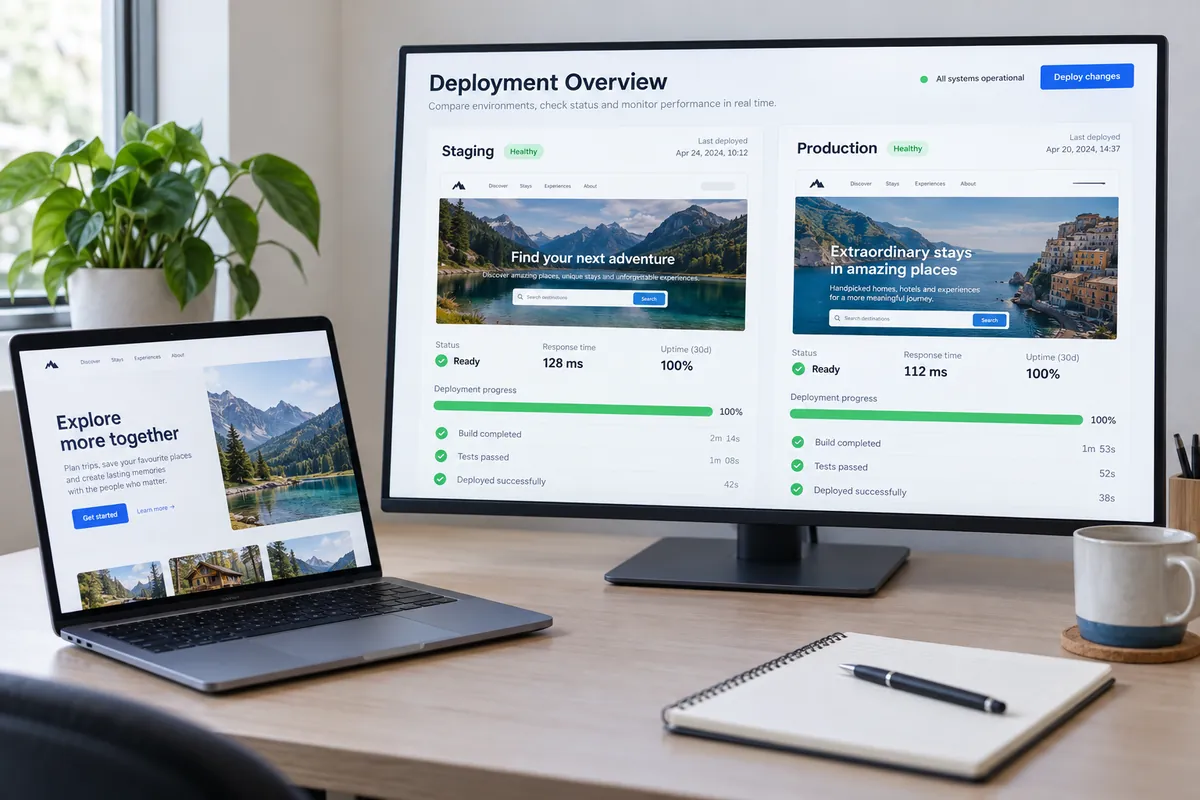
Phase 4: Build a production-like staging environment
Staging should behave like production without becoming public production.
Protect it with authentication or network access controls. A robots.txt block alone is not access control, and a forgotten noindex directive can become a launch-day disaster if it is copied to production.
Prepare SEO metadata on staging. Do not wait until after launch.
Titles, descriptions, canonicals, hreflang annotations, structured data and social previews should all be tested before users and crawlers arrive. The safe pattern is to keep the environment private while making its pages production-ready.
Test the whole system, not only individual pages:
- Can a visitor submit a form?
- Does the submitted record arrive correctly in the CRM?
- Are confirmation emails delivered from the correct domain?
- Do login, search, checkout, booking and account-recovery flows work?
- Do analytics events fire once, with the correct consent state and campaign attribution?
- Can keyboard and screen-reader users complete critical journeys?
- Does important content remain available in the delivered HTML?
- Do canonical tags point to the future production URLs rather than staging?
- Are language and regional alternates reciprocal and valid?
- Can editors create a new page without reintroducing broken headings, metadata or layout shifts?
For JavaScript-heavy sites, prefer server-side rendering, static rendering or hydration for important content.
Google can process JavaScript, but its current JavaScript SEO guidance still notes that pre-rendering can improve speed for users and crawlers, and that not every bot executes JavaScript.
This matters beyond conventional search engines. Social preview generators, accessibility tools, link unfurlers, monitoring services and AI crawlers may all process pages differently.
A resilient site should not depend on every consumer executing the same browser-side code perfectly.
Phase 5: Rehearse the migration
A backup is not a rollback plan until someone has restored it successfully.
Run at least one production-like rehearsal with a copy of real data. Time every step. Record manual actions. Compare counts before and after.
Confirm that the team can restore databases, files, configuration and routing state within the required recovery window.
The rehearsal should produce a runbook containing:
- Every action in order
- The person responsible for it
- Prerequisites and evidence of completion
- The expected duration
- Validation checks
- A stop condition
- The recovery action if the step fails
Automate repeatable checks.
A useful migration test suite can fail the release when it finds:
- An indexing block on production
- A critical redirect mismatch
- A canonical tag pointing to staging
- A missing analytics tag
- An empty page body
- An unexpected difference in priority-page content
- Broken structured data
- A sitemap containing redirected or unavailable URLs
For a very large site, consider moving a low-risk section first.
A small migration wave will not reveal every possible problem, but it can expose weaknesses in mapping, deployment and monitoring before the main event.
Phase 6: Use launch gates, not launch optimism
Set a go-or-no-go review before the release window.
A launch gate should be binary and supported by evidence.
"SEO has checked the site" is vague.
"All 2,400 priority redirects return one permanent hop to the approved destination" is a launch gate.
Recommended gates include:
- A successful, tested backup and restoration
- Zero unresolved critical security defects
- Zero new critical accessibility defects
- Priority journeys passing from beginning to end
- Redirect and canonical tests passing
- Production robots.txt and XML sitemap approved
- Analytics, consent and conversion tracking validated
- Acceptable load-test results and spare crawl capacity
- TLS certificates, DNS and CDN configuration ready
- Customer support, marketing and incident contacts briefed
- Dashboards, alerts and owners active before the switch
Schedule the release during a predictable low-traffic period, but keep the right people available.
"Sunday at midnight" is not low risk if nobody from the payment, analytics or content teams can respond.

Phase 7: Launch from a shared control room
Freeze non-essential content and configuration changes.
Work from one runbook, one decision log and one communication channel. Record the time of every major action so it can be matched to logs and analytics later.
Immediately after the switch:
- Verify DNS, certificates, CDN behavior and the preferred host.
- Confirm that production is crawlable and staging is not publicly accessible.
- Test the homepage, priority landing pages and critical journeys.
- Sample old URLs and run the complete redirect test.
- Crawl the new site for 4xx, 5xx, canonical, hreflang and internal-link errors.
- Verify analytics, conversions, consent and server-side events.
- Validate that the XML sitemap contains only canonical 200 OK URLs.
- Verify the old and new properties in Search Console and submit the sitemap.
- Use Search Console's Change of Address tool when the domain changes and the move qualifies.
- Update paid campaigns, email templates, profiles and other links you control.
If the site must be unavailable briefly, return a genuine 503 Service Unavailable response rather than serving an error page with a 200 OK status.
A page that looks unavailable to a visitor but reports success to machines creates misleading monitoring data and may be interpreted incorrectly by crawlers.
Phase 8: Operate the migration for at least 30 days
Go-live is the start of the observation period, not the end of the project.
Use a dashboard that brings technical, search and business signals together:
- 5xx rate, latency and infrastructure saturation
- 404 volume and top referrers
- Redirect errors, loops and unexpected destinations
- Search clicks, impressions and indexed-page coverage
- Crawl activity on old and new URLs
- Conversions, revenue, lead quality and checkout completion
- Real-user Core Web Vitals by template and device
- Analytics event volume and attribution changes
- Accessibility regressions introduced by new content
Use a tighter monitoring cadence at first:
- Continuous alerts and several manual checks on launch day
- Daily reviews during the first week
- Weekly reviews through the first month
- Longer monitoring for large or complex moves
Some search fluctuation is normal while pages are recrawled and reprocessed. That does not mean every decline should be dismissed as "Google settling."
Investigate by directory, page type, device and market.
A sudden loss isolated to one template often points to a specific technical cause. A conversion decline on mobile only may indicate a responsive-design problem. A drop in reported leads with stable form submissions may indicate broken analytics rather than lost demand.
Assign every issue an owner and deadline.
Keep the migration team in place until the agreed exit criteria are met. Then transfer the dashboards, tests and content standards into normal operations.
Otherwise, quality will begin to decay as soon as the project team disbands.
A rollback is not a time machine
Rollback is essential for catastrophic application, security or infrastructure failures.
It is less simple for a domain or URL migration after crawlers and users have begun following the new routes.
Flipping repeatedly between old and new URLs can create more confusion. Decide in advance which failures require rollback and which should be repaired forward.
For example:
- A broken checkout affecting all users may justify an immediate rollback.
- A small set of incorrect redirects is usually safer to repair forward.
- Lost analytics data cannot be reconstructed by rolling the application back.
- A publicly exposed staging site needs access control and deindexing action, not merely another deployment.
- An inaccessible component reused across every checkout page may require the release to be stopped.
- A missing description on several low-traffic articles is unlikely to justify reversing the entire migration.
Your plan should therefore include both a technical rollback and a forward-fix path, with decision authority and time limits for each.
The compact website migration checklist
Before launch
- Define the scope, owners, success metrics and stop conditions.
- Inventory pages, assets, metadata, integrations and tracking.
- Classify content as keep, improve, merge, archive or remove.
- Save crawl, search, analytics, backlink and performance baselines.
- Approve the new architecture and page-level URL map.
- Build and test redirects, canonicals, sitemaps and robots rules.
- Protect staging while completing all production metadata.
- Test critical journeys, analytics, consent and accessibility.
- Rehearse the migration and restore the backup.
- Approve evidence-based go-or-no-go gates.
During launch
- Freeze unrelated changes and record the migration timeline.
- Validate infrastructure, crawlability and priority pages.
- Run the redirect suite and a complete production crawl.
- Confirm forms, checkout, CRM, email and analytics data flows.
- Submit clean sitemaps and relevant search-engine notifications.
- Keep technical and business owners available.
After launch
- Monitor technical, search and conversion signals together.
- Investigate anomalies by page type, directory and device.
- Fix redirect chains, broken links, metadata gaps and tracking defects.
- Keep redirects and the old domain under organizational control.
- Maintain issue ownership until the exit criteria are met.
- Turn migration checks into continuous quality controls.
The real definition of a successful migration
A successful migration is not one that launches on schedule.
It is one in which customers can still complete their tasks, teams can trust their data, search engines can understand the change and the new platform creates room to improve.
The safest teams do not rely on a heroic launch night. They reduce the number of simultaneous changes, turn assumptions into tests, rehearse recovery and keep watching after everyone else has moved on.
That is the difference between moving a website and migrating a digital business.
Ready to plan your website migration?
A successful migration should improve your website without putting traffic, data or critical customer journeys at unnecessary risk.
Whether you are changing domains, moving to a new CMS or rebuilding your website, DevOpWeb can help manage the transition from planning through post-launch support.