Since 28 June 2025, an online shop that sells to consumers in the European Union has a legal duty to be accessible to people with disabilities. Most shop owners we talk to have heard of it, few know whether it applies to them, and fewer still have checked what their checkout does with a keyboard or a screen reader.
This guide covers what the rule asks for, who is exempt, the problems we find most often when we audit a site, and a practical order to fix them. It is not legal advice: if you are close to the exemption threshold, confirm your case with your adviser.
What the law asks of an online shop
The rule comes from the European Accessibility Act (Directive 2019/882). Each country turned it into national law: in Spain it is Ley 11/2023, in Germany the Barrierefreiheitsstärkungsgesetz (BFSG). Among other services, it covers e-commerce: websites and apps used to sign a contract with a consumer at a distance.
In practice the yardstick is the European standard EN 301 549, which for web content points to the Web Content Accessibility Guidelines (WCAG) 2.1 at level AA. That means text with enough contrast, every function usable with a keyboard, images and buttons with a text alternative, forms that explain their errors, and content that still works when zoomed.
The law also asks you to publish how your service meets those requirements. Most shops do it with an accessibility statement linked from the footer, next to the legal notice and the privacy policy.
Who is exempt
Microenterprises that provide services are exempt. A microenterprise employs fewer than 10 people and has an annual turnover or a balance sheet total of no more than 2 million euros. A shop with 12 employees is covered even if its turnover is small.
Shops that sell only to businesses are outside the scope, because the rule protects consumers. There are also transitional rules until June 2030 for products already in use and for contracts signed before June 2025. How far they reach for a shop's website is debated, so we would not plan a project around them.
Our advice even for exempt shops: do the basic fixes. They cost little compared with a redesign, and the same changes make the shop easier for everyone, from a customer on a phone in bright sunlight to someone who simply prefers the keyboard.
What usually fails
On a recent audit of a large WordPress site we measured 709 issues across nine pages with the automated checker axe-core, and brought them down to zero. Almost all of them came from a handful of causes that we see on shops too.
Grey text that is almost readable
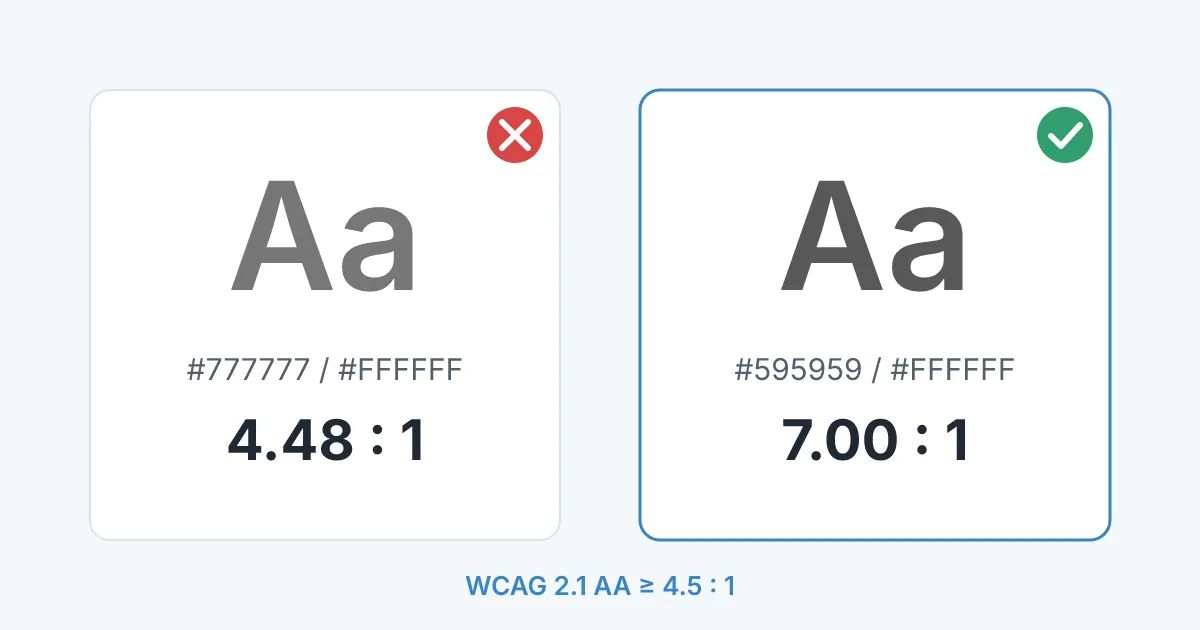
Normal text needs a contrast ratio of at least 4.5 to 1 against its background. The light grey many themes use for prices, descriptions and footers, #777777 on white, reaches 4.48. It looks fine on a good monitor and fails across the whole site. Darkening it a few shades fixes every page at once. You can test any pair of colours with a contrast checker.
Menus and checkout that need a mouse
Try your shop with only the Tab, Enter and arrow keys. On that audit the large dropdown menus opened on hover and click, but never on keyboard focus: about twenty links per menu could not be reached without a mouse. Automated checkers did not flag it. Only a manual keyboard pass found it.
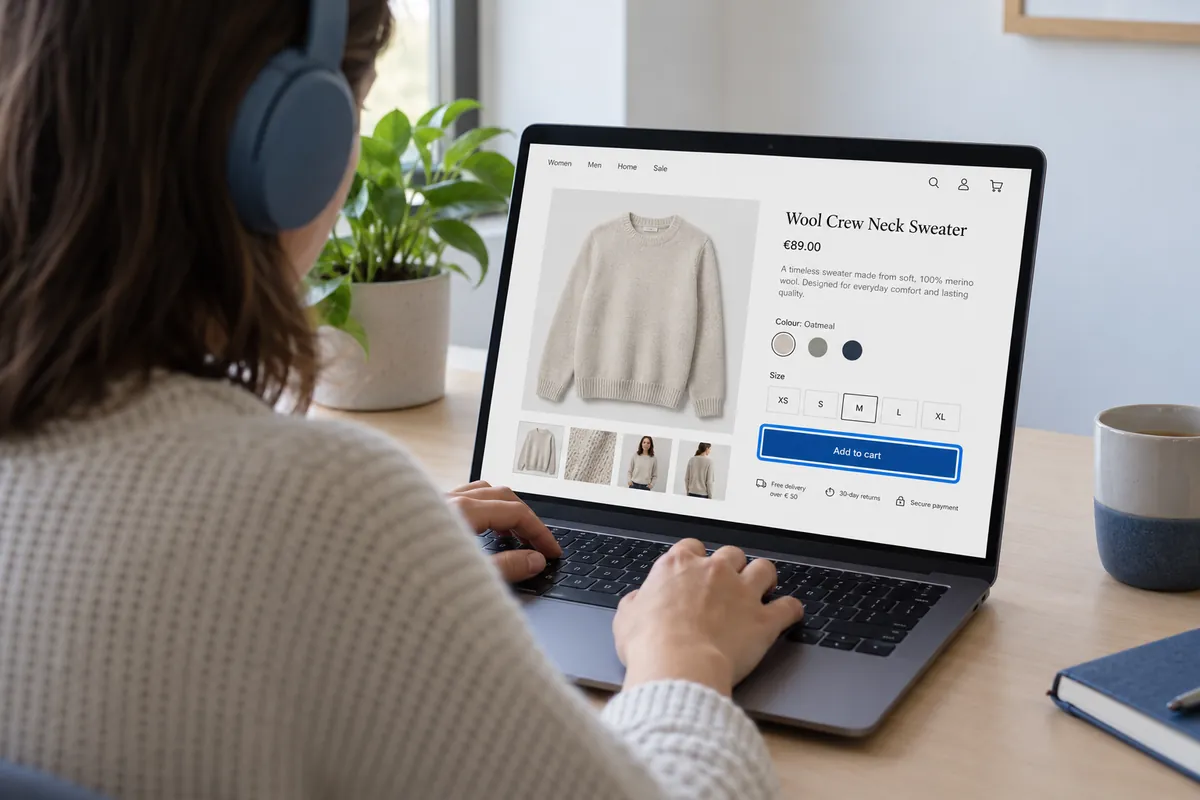
The same test on a shop usually turns up a few more: a focus outline removed by the theme so you cannot see where you are, a size selector built from styled boxes that ignore the keyboard, or a cookie banner that traps the focus.
Images and icon buttons without a name
Product photos need a short alt text that says what the product is. Icon buttons, such as the cart, the search magnifier or the heart for the wish list, need a text label that screen readers can announce. Without it they are read as "button", which tells a blind customer nothing.
Forms that only show errors in red
Checkout and registration forms need a visible label on every field, not only a placeholder that disappears when you type, and error messages in text next to the field. A red border alone is invisible to a screen reader and hard to see for many people with colour blindness.
Third party widgets
Chat bubbles, review carousels, payment pop ups and consent banners come from other companies, but they are part of your shop. Check them in the same pass. If one fails and cannot be configured, ask the provider or replace it.
How we check a shop
- Run an automated scan with axe or WAVE on each page type, on mobile and desktop: home, category, product, cart, checkout, account and one content page.
- Buy a product from start to finish with the keyboard only, then repeat the critical steps with a screen reader such as NVDA on Windows or VoiceOver on Mac and iPhone.
- Zoom the browser to 200 percent and narrow the window to phone width to see whether text, menus and buttons still fit.
- Fix causes in the theme and templates, not page by page, so the next product you add is accessible by default.
- Write the accessibility statement with what was checked, what is known to fail and a contact for problems.
- Repeat the keyboard pass after theme, plugin or checkout updates. Regressions are common.
Where to start this week
- Check whether the exemption applies: headcount below 10 and turnover or balance sheet up to 2 million euros.
- Try to buy something in your own shop using only the keyboard. Note every step where you get stuck or lose track of the focus.
- Measure the contrast of your body text, prices and footer.
- Look for icon buttons without a label and product images without alt text.
- Add an accessibility statement to the footer, even a short and honest one.
Accessibility audits and fixes are part of our work on online shops and websites, usually together with performance and maintenance.
Not sure where your shop stands?
Send us the address of your shop. We will run the keyboard and contrast checks on the buying path and tell you what fails and what it takes to fix it.